Is your ad platform data and WordPress website analytics not aligning? It’s a common issue caused by everything from browser updates and ad blockers to stricter privacy rules. This is why server-side tracking for WordPress websites is quickly becoming popular.
I’ve been a web developer for over a decade, and have seen firsthand how client-side tracking gives you incomplete data. This problem makes it impossible to make accurate marketing decisions.
Let’s look at everything you need to know to decide if it’s necessary and to implement it successfully on your WordPress website.
What Is Server-Side Tracking for WordPress?
Server-side tracking lets you send analytics and data about user interactions to platforms like Google Analytics, Meta Pixel, Snapchat Pixel, or TikTok Pixel.
Instead of firing pixels and tracking scripts on the front end, your server captures the event, cleans it, and sends it directly to the platform’s APIs. You get accurate data and faster load times!
Client-Side vs. Server-Side: What’s the Difference?
Client-side tracking happens inside the visitor’s browser. It uses JavaScript pixels or tools like Google Tag Manager (GTM) to fire events. These can be affected by factors such as ad blockers, local laws, or browser updates.
Server-side tracking, on the other hand, happens in your infrastructure, using your data layer and server endpoints to manage events consistently and securely.
It relies on first-party cookies or even cookieless tracking models that keep user data under your control.
Many marketers are trying to use the GTM server-side instead of for client-side tracking, but solutions are emerging that simplify recording user behavior events.
How Server-Side Tracking Works Behind the Scenes
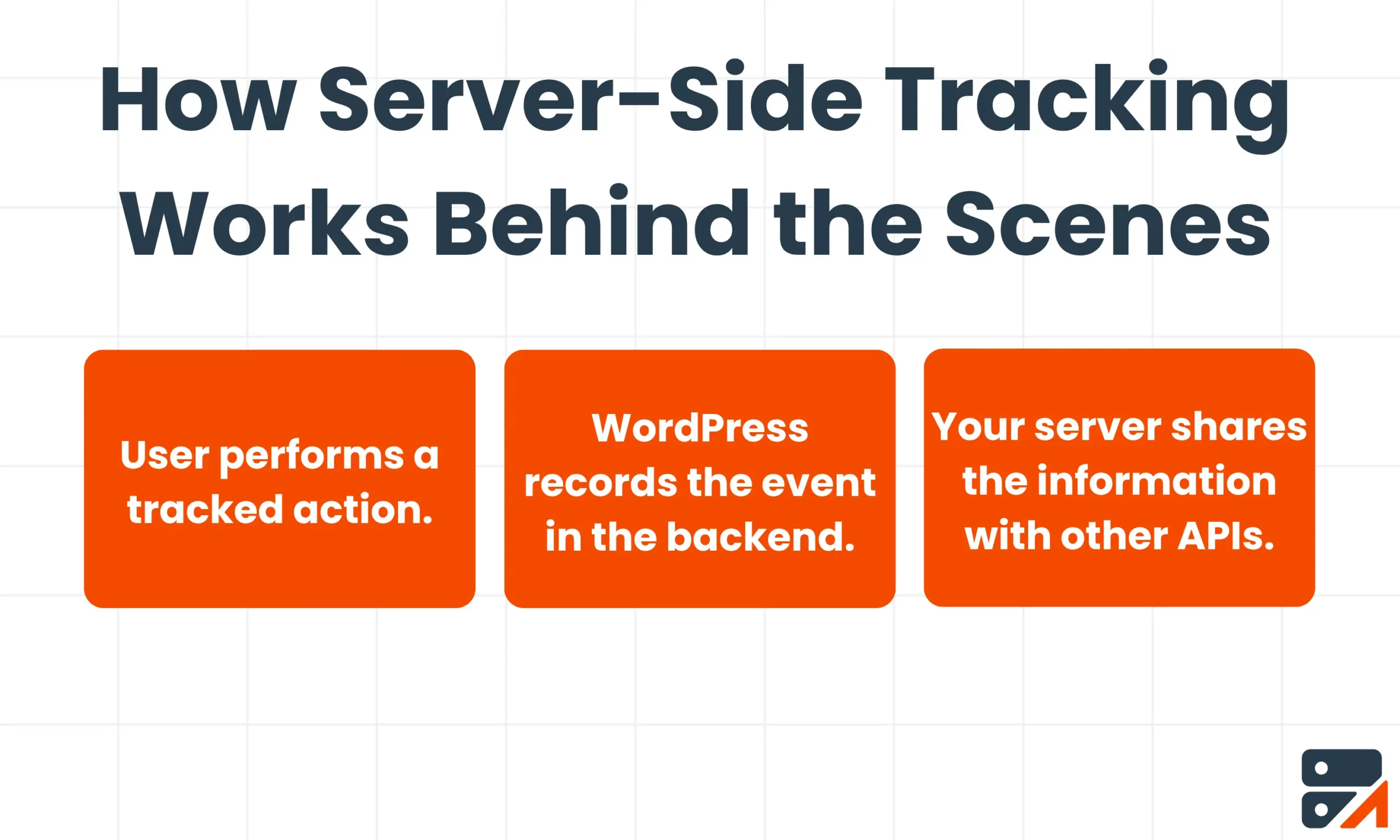
It may sound complicated, but we can split the process into three steps:
- Users complete an action on your website: a page view, a form submission, or anything else you have configured to track, is captured even if the visitor blocks third-party scripts or cookies.
- WordPress records that event in the backend: secure storage ensures you are compliant with privacy regulations, and your server can also enrich the information with added details.
- Your server shares information with other APIs using a secure key: each event is validated, and if a request fails, it is automatically retried, limiting data loss.
Why You Should Care About Server-Side Tracking
If you run ads, manage conversions, or monitor performance in WordPress, you need better control of your user data.
Better Accuracy and Attribution
Whether you use the GTM server-side or a custom loader to route data, server-side setups capture almost all data. They give you a much better return on ads that use behavioral targeting.
Privacy and Compliance
Since you are in control of all user data, you can take steps to anonymize IPs, respect consent, and log every request.
This means you avoid most data privacy concerns.
Faster Performance
Having fewer front-end scripts makes your website load faster. This helps users stay longer on your site.
It also improves your ranking on search engine results pages, which increases your online visibility.
How to Set Up Server-Side Tracking on WordPress
So, how do you actually implement server-side tracking on your WordPress site? Let’s look at your options.
There are three main approaches, depending on how hands-on you want to be.
Option 1: Using a WordPress Plugin (Fast Route)
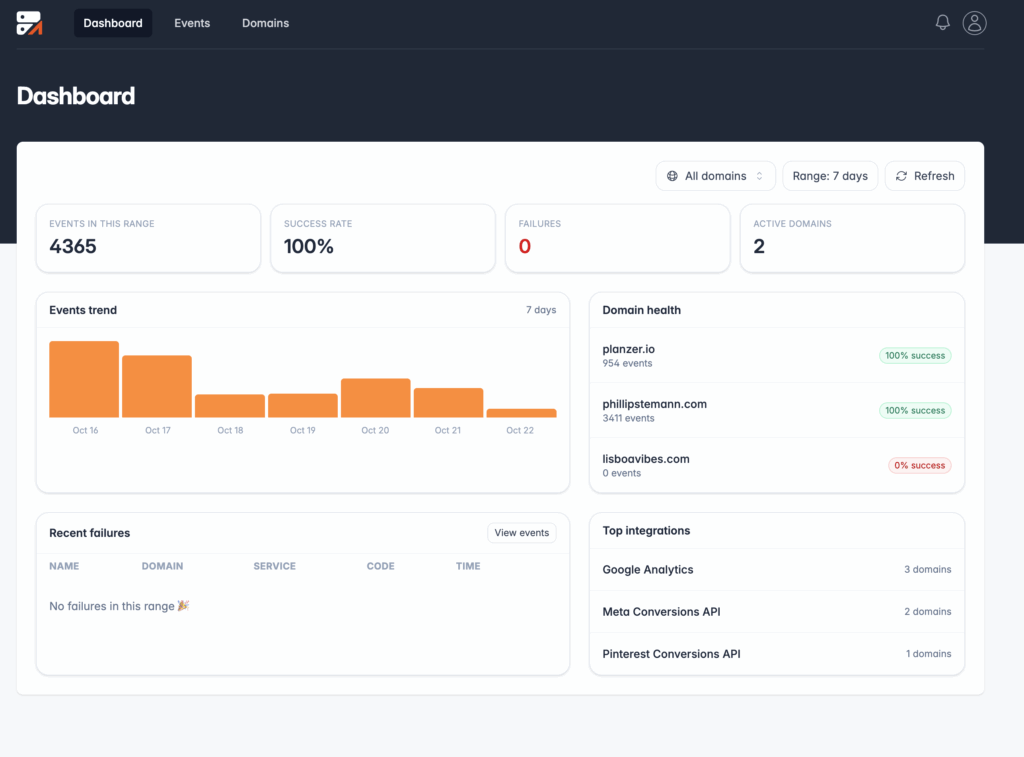
If you want to get up and running quickly, a plugin like Traculo is the easiest path.
Traculo connects directly to your analytics and ad platforms. The tool sends events through your own server and manages everything on its own.
It’s compatible with Google Tag Manager setups and can work alongside your existing GTM script. Just install, connect, and start tracking.
No coding required. Just sign up here to get started.
Option 2: Manual Setup (Technical Route)
For developers or technical marketers, you can build your own endpoint in WordPress.
To do this, you’ll need to collect events in your backend, push them to the data layer, and send them via each platform’s API.
It gives you complete control, but also requires maintenance, logging, and debugging.
Option 3: Google Tag Manager Server Mode (Hybrid Route)
If you are already using Google Tag Manager (GTM), you can switch to a GTM Server Container that you host on your own subdomain.
This approach gives you more control over what is being sent to your ad networks and the improved speed that comes with fewer tracking scripts in the browser, but you don’t lose the flexibility of a GTM.
Think of it as the middle ground between a fully manual setup and a plugin like Traculo.
The reasons many marketers don’t go for this approach are that the GTM server mode still requires cloud hosting and maintenance, which a fully managed WordPress plugin does not. You’ll need some level of technical skill for both the initial setup and continuous monitoring.
Connecting Server-Side Tracking With Your Favorite Tools
Once you’ve set up server-side tracking on WordPress, the next step is connecting it to the platforms you already use.
If you’re using a tool like Traculo, this entire process is handled automatically. If you’re going the more technical route, you need to manually configure each platform, as they all handle data differently.
Google Analytics 4 (GA4)
With GA4, you can use the Measurement Protocol to send events directly from your server.
This ensures every page view, signup, or purchase is logged, even if the user blocks cookies.
You’ll see consistent data across browsers and devices, without relying on client-side scripts.
Meta Conversions API (CAPI)
Meta’s CAPI (previously the Facebook Conversion API) lets you pass conversion data directly from your server to Facebook and Instagram.
I’ve set this up on plenty of WordPress sites. It consistently improves attribution accuracy. It also reduces under-reporting caused by pixel blockers.
TikTok Events API
TikTok’s Events API works very similarly to Meta CAPI, but it is optimized for TikTok’s ad delivery, which is very algorithm-driven.
When you can track conversion directly from your backend to Ads Manager, you improve your event match quality score, even when users are on different browsers and devices. This gives the algorithm stronger feedback.
LinkedIn Conversion API
LinkedIn ads are unique in that you are often targeting professions. They are priced accordingly.
The LinkedIn Conversion API allows you to measure your campaign performance, even if your conversion happened somewhere else.
It is a great option for B2B marketers who rely on longer sales cycles, where clients might only convert weeks after seeing your ad.
Pinterest Conversion API
A direct integration with the Pinterest Conversions API, as with all the others, allows advertisers to send information about events like conversions, which can then be used for campaign optimization.
Pinterest has a web app, mobile app, and offline mode. Users might see your ad when browsing on mobile, but convert in the web app later. Server-side data tracking makes sure you don’t miss data from these delayed actions.
Google Ads Enhanced Conversion API
For Google Ads, you need to use the Enhanced Conversions API to send hashed data from your server.
Make sure that you use a regular conversion tracking tag to record events. These will allow you to collect and send accurate first-party data.
Testing and Monitoring
Once your server-side tracking is up and running, you need to send a few test events to make sure they appear correctly on your dashboard.
You can verify events in GA4’s DebugView or Meta’s Events Manager before going live.
Most APIs will return something like ‘200 OK’ when data goes through successfully.
If not, you’ll need to troubleshoot.
Wrap-Up
If you work in marketing, getting reliable data from your WordPress website is essential. But ad blockers, privacy updates, and script errors make this problematic.
Server-side tracking in WordPress is quickly becoming the new standard. Moving data collection to your own server means accurate reporting and faster pages. You’ll also stay privacy-compliant.
If you want to avoid manual setup and automate data sharing to platforms like GA4, Meta CAPI, TikTok, and LinkedIn, use Traculo.
FAQs
Is Server-Side Tracking Legal?
Yes, server-side tracking is legal as long as you make sure it complies with GDPR and other privacy regulations.
What is Server-Side Tracking?
Server-side tracking is where your site’s server sends conversion data directly to platforms like GA4 or Meta, instead of relying on browser pixels.
Is Server-Side Tracking Necessary for Google Ads?
Server-side tracking is not necessary for Google Ads. However, it is highly recommended. It helps prevent your data from being skewed by inaccurate browser tracking.