- sGTM means server-side Google Tag Manager: a Tag Manager container that runs on a server you control instead of in the visitor’s browser, receives events, and forwards them to analytics and ad platforms.
- It has two halves: a web container in the browser and a server container on your own subdomain. Clients receive requests, and tags and triggers decide where each event goes.
- Google’s Cloud Run guide puts one server at about $45 a month and recommends at least two. The software is free; the hosting and the person who looks after it are not.
- It suits teams that need Tag Manager’s flexibility. It is more than many WordPress sites need, and there are lighter routes.
Last updated: 7 October 2026
That is the definition. The rest of this page explains how the pieces fit, what it needs to run, where it helps and where it does not, and what else you can use. If you want the wider picture of server-side tracking first, start with the beginner’s guide.
The words people mix up
- Google Tag Manager (GTM): the tag management product. Its usual container is a web container that runs in the browser.
- sGTM or server-side tagging: a second container type, the server container, which runs on a server.
- Server-side GA4: sending data to Google Analytics 4 from a server. That can be done through sGTM or by calling the Measurement Protocol directly; the GA4 server-side guide covers the direct route.
So sGTM is one way to do server-side tracking. It is not the only way, and it does not remove the browser from the picture.
The architecture: two containers and a hosting layer
The web container and the Google tag
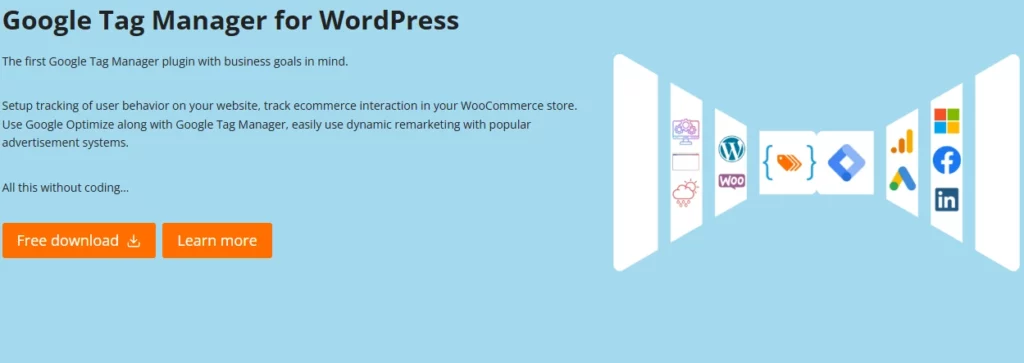
On your WordPress site you still load a Tag Manager web container, or the Google tag directly. The difference is where it sends data. Instead of sending to Google’s domains, you point it at your server container URL. Google’s server-side documentation says to point gtag.js at your server with the server_container_url parameter. A plugin such as GTM4WP is a common way to put the container and the event data into WordPress pages.
The server container
The server container runs in your own cloud project or another environment. Google says it uses the same tag, trigger and variable model as a web container. Inside it, three things matter:
- Clients. A client is an adapter between the software on the visitor’s device and the container. It receives measurement data, transforms it into one or more events, runs them through the container logic, and packages a response. The first thing each client does is decide whether it knows how to process the request; once one claims it, others skip it. Google says new server containers include Google Analytics and Measurement Protocol clients.
- Triggers. They examine each event for conditions, such as event name or a parameter value.
- Tags. When a trigger matches, tags send the event data on to a vendor: Google Analytics 4, Google Ads, Meta or another platform that has a server tag template.

The hosting layer
The container needs somewhere to run. Google documents three paths: Cloud Run, App Engine, or manual setup on a platform of your choice. Google’s App Engine guide calls Cloud Run the recommended deployment option. Providers also offer managed hosting for server containers, so you do not have to create the cloud project yourself.
One request, step by step
- A visitor pays for an order. The page’s data layer pushes a
purchaseevent. - The web container’s Google tag sends a request to your server container URL, for example a subdomain such as
metrics.example.com, instead of to a Google domain. - The GA4 client in the server container claims the request and turns it into an event with its parameters.
- A trigger matches
purchase. A GA4 tag sends the event to Google Analytics. A Meta tag sends it to Meta. - The container returns a response to the browser.
Notice step 2. The browser is still involved. If the page never loads the container, nothing is sent. That is the main difference from a design where WordPress itself reports an order when payment completes, which the plugin route does.
What it needs to run
A server and a domain
Google’s Cloud Run guide says each server costs approximately $45 a month (1 vCPU, 0.5 GB memory) and recommends at least two instances to reduce the risk of data loss if a server goes down. It also describes a separate preview server for testing and recommends billing alerts. Its App Engine guide gives approximately $40 a month per server in the flexible environment and suggests a minimum of three. These are Google’s own estimates, so check current prices before you commit.
Before real traffic, Google says to install the server on your own first-party domain and move it to production mode. For first-party context, its sending-data guide advises serving Google scripts, such as the Analytics library, from your own servers. The details of who pays what are in sGTM hosting versus a plugin.
WordPress changes
- Load the web container and point it to the server container URL.
- If you use a Content Security Policy, allow the server container URL. Google lists
img-srcandconnect-srcfor measurement requests, andframe-srcwhen the service worker transport is used. - Push useful event data into the data layer, such as the order ID, value and currency for purchases.
- Send events your browser cannot see, such as a payment webhook, by other means. The browser path will not report them.
People
Someone has to build tags, read logs, update templates and respond when events stop. Google describes server-side tagging as suitable for tech-savvy marketers and developers. If that person is a freelancer who leaves, the container becomes a black box.
Pros and cons
Where sGTM helps
- One place to manage many destinations. One incoming event can feed several tags, with rules about which vendor gets what.
- Control over the payload. You can remove or change fields before an event leaves your infrastructure.
- Fewer vendor scripts in the browser, since the web side sends to one endpoint. Measure your own pages; the saving depends on what you replace.
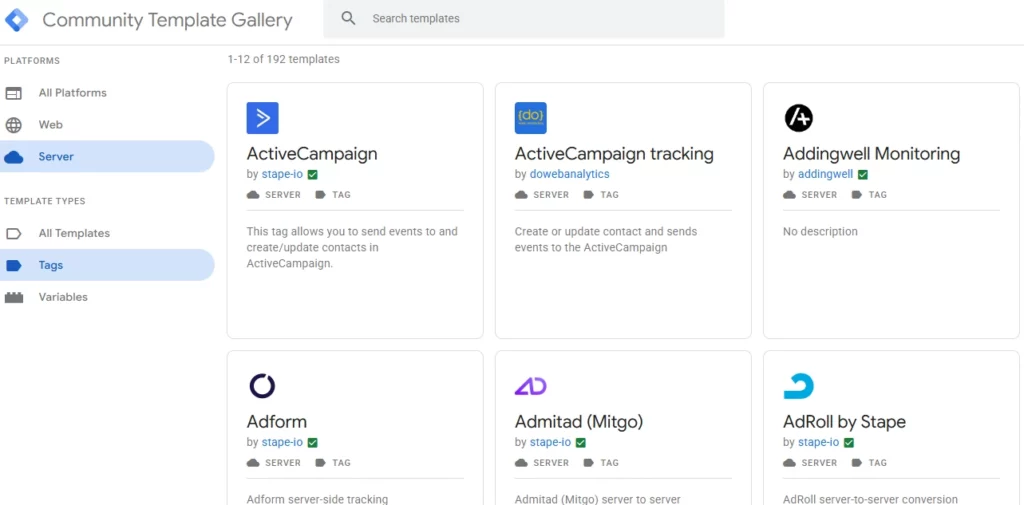
- Google’s templates for the Google products. Google provides official tag templates for Google Analytics 4 and Google Ads.
- Flexibility. Custom clients, variables and templates let you shape events well beyond what a fixed integration does.
Where it costs you
- Running cost and attention. The hosting bill is the smaller part. Monitoring and maintenance are the larger one.
- Complexity. Two containers, a custom domain, DNS and cloud settings. Debugging spans the browser and the server.
- Community templates. For platforms without an official template you rely on gallery or open-source templates, which Google does not maintain. Read the code and check who maintains it.
- It is not a data-loss cure. The browser still has to send the first request. Ad blockers and consent tools still act on the page.
- Consent and privacy remain your job. Moving tags to a server gives you more control, but it does not decide what you are allowed to collect. See Consent Mode v2 on WordPress.
Alternatives to a self-run sGTM container
| Option | Who runs the server | Good for | Trade-off |
|---|---|---|---|
| Self-hosted sGTM | You, on Cloud Run, App Engine or elsewhere | Teams with cloud skills and custom needs | Hosting, maintenance, on-call |
| Managed sGTM hosting | A hosting provider | sGTM without owning the cloud project | Request limits and a provider bill |
| Plugin or forwarding service | The vendor | Standard conversions from WordPress | No custom container logic |
| Custom code with platform APIs | You, inside WordPress | One or two destinations | You own retries, logs and API changes |
| Stay client-side | Nobody | Simple sites without ad spend | Exposed to blockers and browser limits |
Traculo belongs in the plugin row: a WordPress plugin and a domain API key, with events forwarded from Traculo’s servers to Google Analytics 4 (Measurement Protocol), Meta Conversions API, Google Ads offline conversions, LinkedIn, TikTok, Snapchat, Pinterest and Plausible, and a delivery log showing each integration’s response. It is not a GTM server host and does not replace Tag Manager where you need custom clients or templates. A longer comparison is in server-side tracking without GTM.
How to check that a server container works
Test in layers, so you know which one is failing:
-
Is the server alive? Google’s App Engine guide says you can verify a deployment with the
/healthypath on the server URL, which returns “ok” when it is running. Open it on your own subdomain. - Does the browser reach it? Open your site, then check the browser’s network tab for requests to your subdomain. If there are none, the web container is not pointed at the server container URL, or a Content Security Policy is blocking it.
- Does the container claim the request? Use the preview mode in Tag Manager. Google says deployments support preview from the Tag Manager interface. You should see the incoming request, the client that claimed it and the tags that fired.
- Did the vendor accept it? Check the destination: GA4’s Realtime report for Google, or the platform’s own testing tool. A tag that fires has not necessarily been accepted.
- Do the totals add up? After a few days, compare orders in WordPress with conversions in each platform and explain the gaps.
A container that nobody checks tends to fail quietly, for example when a certificate lapses or a template needs an update. Put a recurring review in someone’s calendar.
Is sGTM right for your WordPress site?
Choose it if most of these are true: you already manage tags in Tag Manager, you send data to several destinations with different rules, someone on the team will own the server, and you need templates or logic that a fixed integration lacks.
Look at a lighter route if you mostly need purchases and leads to reach GA4 and a few ad platforms, nobody wants to monitor a cloud service, or your tag setup is simple. For the Meta side, Meta Conversions API for WordPress shows what a direct integration involves, and client-side vs server-side tracking weighs the approaches. If your numbers look wrong and you do not know why yet, begin with why WordPress analytics data goes missing; sGTM does not fix a broken browser tag.
Frequently asked questions
What does sGTM stand for?
sGTM stands for server-side Google Tag Manager. It is a Tag Manager container that runs on a server you control rather than in the visitor’s browser. You may also see it written SGTM or called server-side tagging.
Is server-side GTM free?
The Tag Manager software has no license fee, but the server does. Google estimates about $45 a month per server on Cloud Run and recommends at least two instances. Managed hosts charge their own prices, so compare current plans.
Do I still need the web container if I use sGTM?
Yes. The web container, or the Google tag, runs in the browser and sends events to your server container. Without it the server container receives nothing from the page, unless you send events from other sources.
Is sGTM the same as server-side GA4?
No. sGTM is one way to send data to GA4 from a server. You can also call the GA4 Measurement Protocol directly from WordPress or through a plugin. The two behave differently and are debugged differently.
Does sGTM stop ad blockers or fix consent?
No. The browser still sends the first request, and consent rules still apply to the data you collect. A first-party subdomain can help in some cases, but test it on your own site rather than assuming.
Related reading
- Server-side tracking for WordPress: a beginner’s guide
- GA4 server-side tracking for WordPress
- Server-side tracking without GTM on WordPress
- Client-side vs server-side tracking in WordPress
- Safari ITP and WordPress cookies
If a plugin fits better than a container, see how the Traculo WordPress plugin works. The free plan covers 10,000 events a month, and paid plans start at $12 a month for 10K events.