
New: alerts and automations
Know the moment something changes. Then let it run itself.
Traculo checks every website each morning, tells you when traffic moves, and sends it to Slack, Zapier, Make or your own API.
Anomaly alerts
A calm daily check, not a wall of notifications
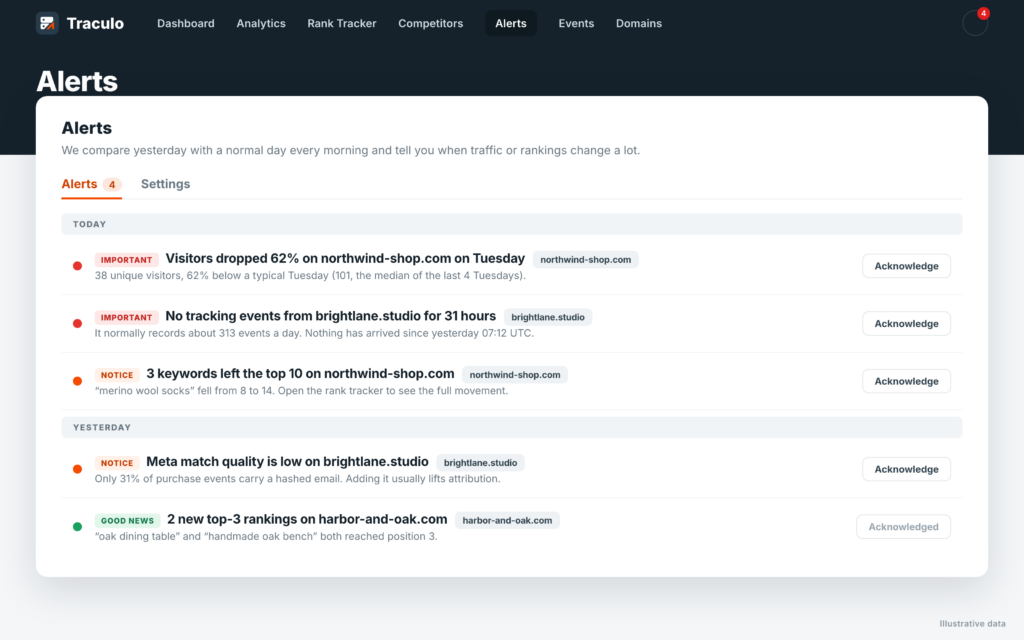
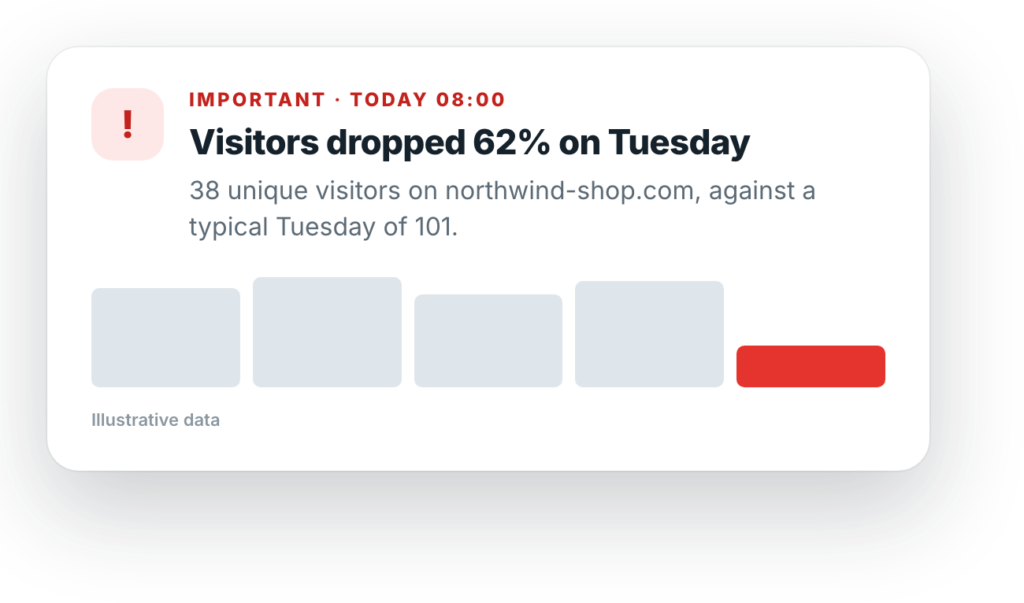
Every morning Traculo compares yesterday with a typical day of the same weekday. If something moved a lot, you get an alert with the numbers. If nothing did, you hear nothing.
📉
Traffic drops and spikes
Visitors well below or above a normal Tuesday, with the figures behind it.
📡
Tracking goes silent
If a website that usually sends events stops sending them, you hear about it the same day.
🔔
Bell plus one email a day
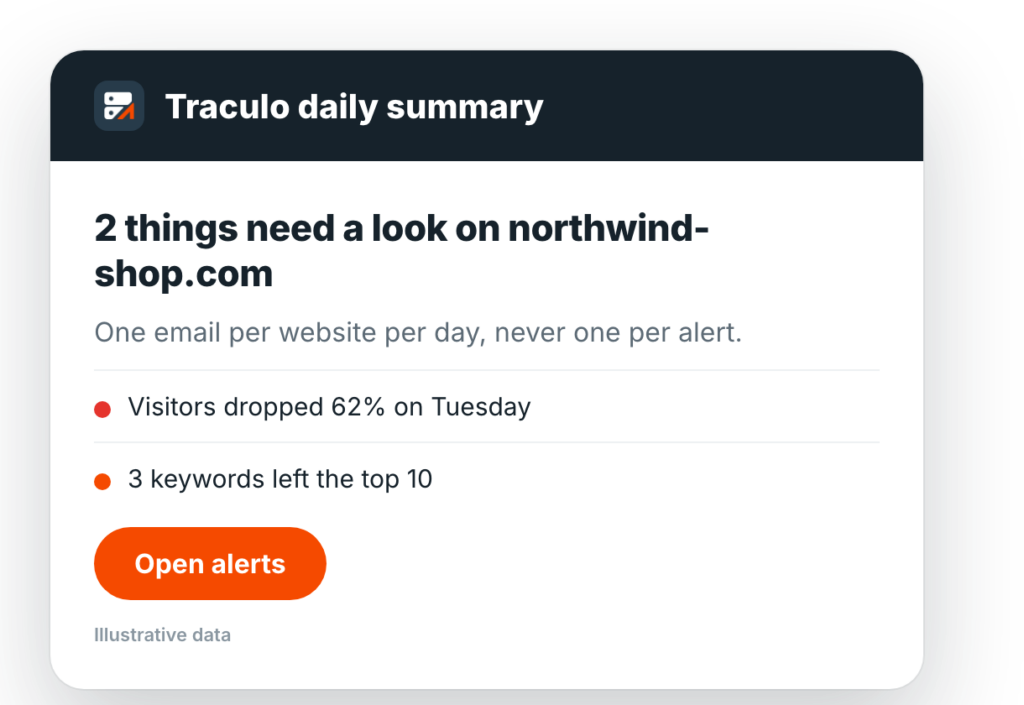
A bell in the app and one email per website per day, never one per alert.
Delivered where you work
Email, Slack, Discord, Teams or your own endpoint
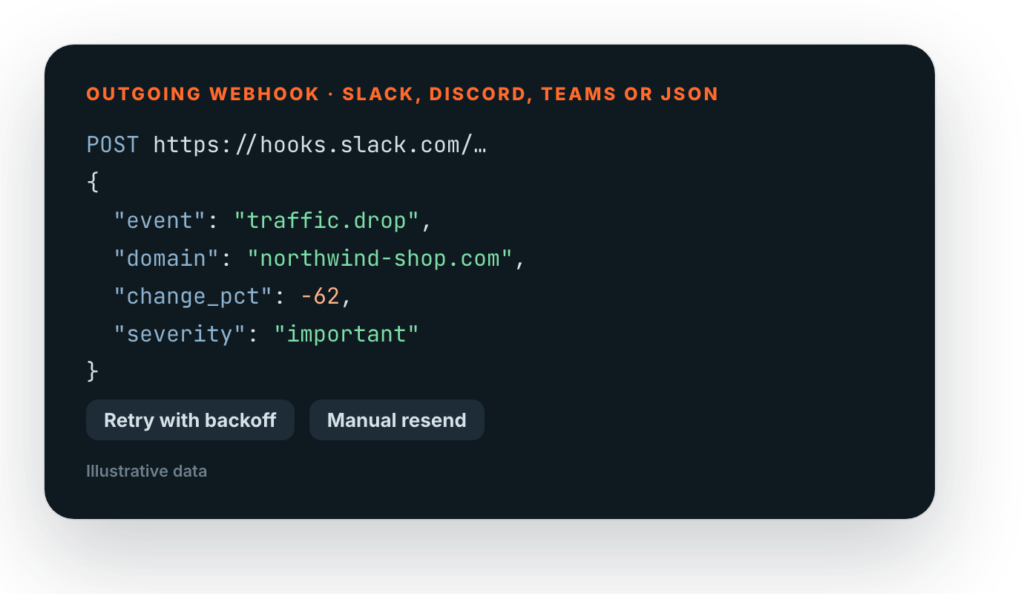
Send alerts and events to outgoing webhooks in JSON, Slack, Discord or Teams format. Failed deliveries retry with backoff and you can resend any of them by hand.
One summary email per website
A short daily digest that links straight to the alerts, so the inbox stays quiet.
Webhooks with a durable retry queue
Every delivery is logged. If an endpoint is down, Traculo retries with backoff and keeps it until it lands.
Zapier and Make
Connect Traculo to 6,000+ apps without code
Use a Traculo alert as the trigger and let Zapier or Make do the rest: post to Slack, create a task, update a spreadsheet, open a ticket.
✓ Triggers: traffic alert, tracking silent, delivery failed, new conversion
✓ Actions: send an event, report a CRM conversion, find a website
✓ Make also has a ready “Make an API call” module


CRM to ad platforms
Tell Meta, Google and LinkedIn which leads became customers
When a deal reaches the stage you choose in your CRM, Traculo sends it back as an offline conversion, so the ad platforms learn from real revenue.
✓ Meta Conversions API, Google Ads and LinkedIn
✓ Pick the CRM stage that counts as a win
✓ Delivery log with automatic retry and manual resend
Shopify app
Connect your Shopify store in one click
Install Traculo from Shopify, create the website from the store's address, and purchases flow in server-side. Consent is respected and no orders or customers are read.


1. Install
Add the app from Shopify. One web pixel is installed through customer events.
2. Connect
Sign in or sign up, and Traculo creates the website from your store address.
3. Watch events arrive
Page views, add to cart and purchases show up in your event log within minutes.
Start with the free plan
Connect a website in a few minutes. Alerts, the API and the integrations are included.
New · Alerts that explain themselves
Not only that traffic moved, but why.
When page views or visitors jump or drop, the alert already says what drove it. Traculo compares the day with the same weekdays before and names the channel, source, page or country that changed.
Example alert
Page views jumped 220% on your site on Monday
What drove it: the increase came mostly from Email (+806 page views), the pages /newsletter-feedback/ (+245 page views) and /lisbon-bucket-list/ (+245 page views, new) and traffic from the United States (+681 page views).
Spikes and drops
A drop names what disappeared, such as a lost Organic Search channel or a page that stopped bringing visitors. A spike names what brought the crowd, and marks pages that are new.
Only when it is real
A cause is named only when it explains a real part of the change. If the change is spread thinly over everything, the alert says so instead of guessing.
Everywhere the alert goes
The explanation is part of the alert in the app, in the notification and the email, and in the webhook payload, so Slack, Zapier and Make can use it.
Connections
Know when a connection needs you.
Every integration checks itself. A lost Google sign-in, a missing permission or a refused token shows up as a red dot on the domain, with the reason and a Reconnect button.
A reason, not just a dot
The domain list says what is wrong: a connection to reconnect, failing events or a server container in error.
Fix it from the alert
Reconnect or edit the integration right from the problem, and the dot clears as soon as it works again.
Live, without refreshing
Alerts and problems appear in the app the moment they happen.